MCP research · GUIDE 06
Figma screenshot references: an evidence-led MCP brief
Figma is a useful example of why “get every image and analyse it” needs a scope check first. This study inspected the public iPhone references and OG assets available in the returned Snaps pages. It did not execute an authenticated MCP session or inspect Android and iPad image sets.
Editorial diagram · illustrative, not a store screenshot.
Look at the references
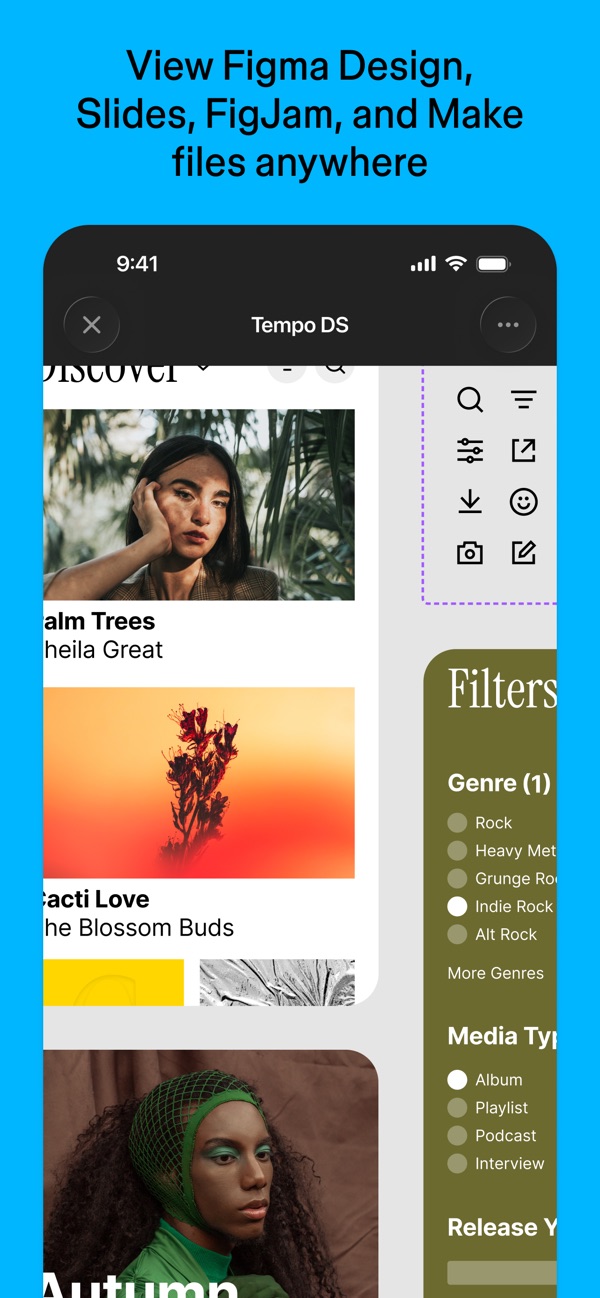
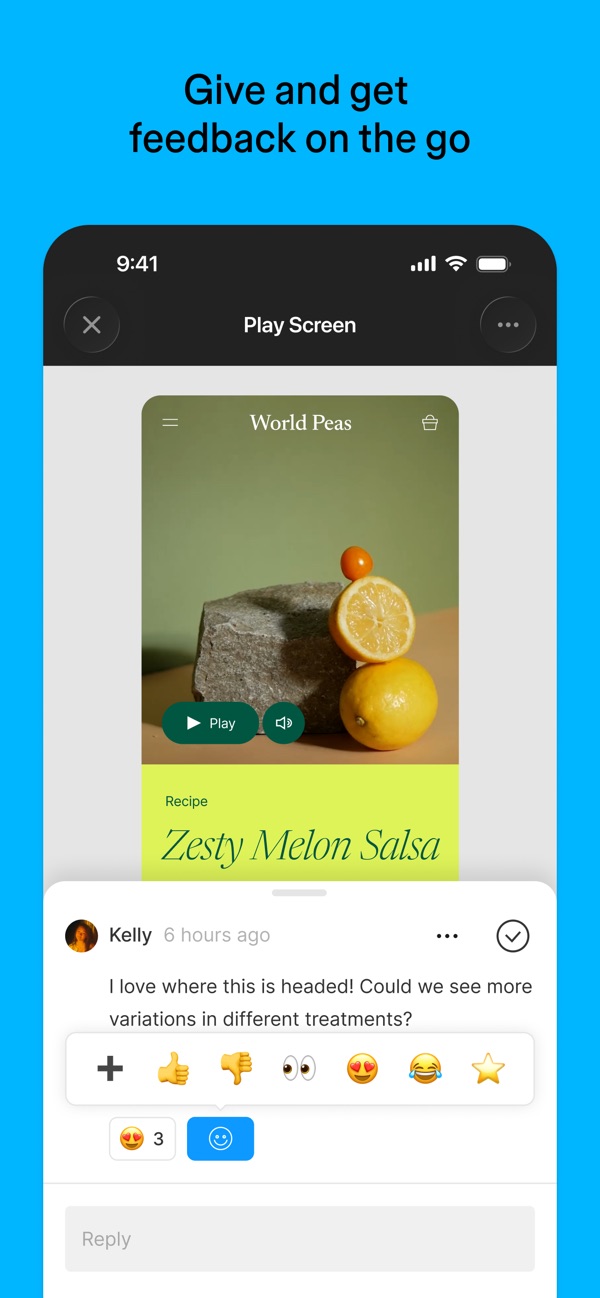
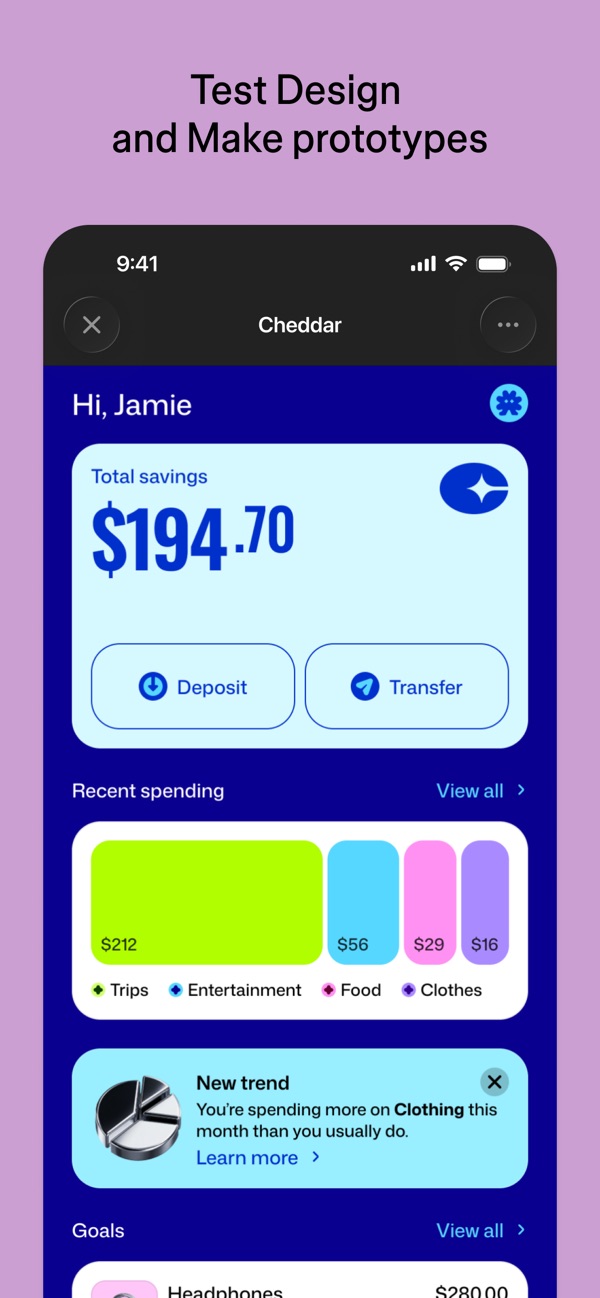
Selected Figma iPhone store creatives, shown for the commentary below. Images belong to Figma; Snaps is the reference source. These are not screenshots created by Snaps.
Inventory before analysis
Open Figma on Snaps. At this review, its public device tabs advertised seven iPhone, nine iPad and seven Android phone records. The default page rendered seven unique iPhone thumbnails; repeated layout copies were not additional images. Android and iPad counts are availability evidence, not visual findings from this review.
No Mac or Windows screenshot set was advertised on this Snaps app page. This does not mean Figma lacks a desktop product. A mobile image saying “Mirror frames from your desktop” is still a mobile screenshot.
What the inspected iPhone references show
The opening cyan reference pairs a broad view-anywhere message with a phone UI. Another cyan image emphasizes feedback; pale-pink images focus on finding files and recent feedback. Lavender images introduce prototype testing and mirroring, while the green reference presents account switching. These are thumbnail-level observations, not a usability or conversion study.
A practical hypothesis to test in your own storyboard is to group related benefits visually, then give each frame one job. Do not copy Figma’s wording or conclude that its color sequence improves conversion. Inspect the original Figma references at the detail level your decision requires.
Keep OG observations in their own lane
The Figma OG history view exposed twenty-four distinct OG image URLs in the public response. The research pass inspected their contact sheet; animated material was represented by its first frame only. Archive interval labels are not independently verified launch dates.
Observed variations included white headline-led cards, mint layouts with playful geometric artwork, and lavender brand-mark treatments. The latest labelled entry showed “The intelligent canvas for infinite creativity” alongside stacked artwork. Compare brand-message and composition changes separately from store-listing tasks: OG images are not desktop screenshots.
A stronger Figma inventory prompt
Prompt: “Resolve https://snaps.design/apps/figma with open_link, then get_app. Confirm developer and list every returned device with counts. Call list_screens for each available device and preserve capture IDs, ordering, dimensions and URLs. Check total against returned records. Report missing desktop data explicitly. Do not substitute phone screenshots for desktop.”
This is an example to run with your own authenticated assistant, not a transcript of a completed MCP call. Follow the installation guide and verify current inputs in the tool reference.
A stronger visual-comparison prompt
Prompt: “Inspect each retrieved Figma screenshot with get_screen_image, device by device. Create a source-linked observation for headline, background, visible UI and communication goal. Mark unreadable details. Compare Android with iPhone only after both sets have been fetched and inspected. Do not infer missing screenshots or measured performance.”
Then refine: “For my collaboration app, select references relevant to explaining review and feedback. Give an inclusion reason, an uncertainty and an original storyboard idea for each. Avoid copying Figma’s headlines.” This turns an unfocused image dump into a decision-oriented brief.
A stronger OG-history prompt and final checklist
Prompt: “Use get_og_timeline for Figma’s verified app or host. List returned versions and observation intervals, then call get_og_image with id set to each actual returned version ID. Open its returned imageUrl with an image-capable client; the tool itself returns metadata, not model-visible image content. If the client cannot view the URL, do not claim visual inspection. Compare message hierarchy, mark placement and artwork. Distinguish first-frame inspection from full animation review, and flag gaps instead of describing an exhaustive history.”
Checklist: preserve links to Figma screenshots and OG history; keep device sets separate; do not label unseen Android images analysed; report desktop absence as library coverage; and validate your own exported assets against store requirements. Publisher screenshots remain the publisher’s work; this study links to the source instead of republishing its entire gallery.
Bound the research run
The documented list_screens limit is up to 200, with no documented pagination cursor: compare total with returned records and disclose truncation. Prefer thumbnails first and request full images selectively; get_screen_image refuses images over 5 MB. Keep within the documented 60 requests per minute per key, pause on rate-limit responses, and report refused or unavailable images. Retain OG approximate and seenOnce flags and collection status rather than treating every interval as certain.
Sources & further reading
Checked against public Snaps documentation and pages on 21 October 2026. Prompts are reproducible examples, not a claim of authenticated MCP execution. Visual observations, where stated, are limited to the explicitly inspected public reference images. Requirements can change; confirm the current source before upload.